
 Free quiz to know your sales aptitude
 Sales Pipeline Calculator
The best invoicing software for a small business keeps the customer, the quote, the invoice, and the payment in view, making it easier to follow each job from the first conversation through to the moment you get paid.
Onpipeline
best for sales teams that need invoicing, too
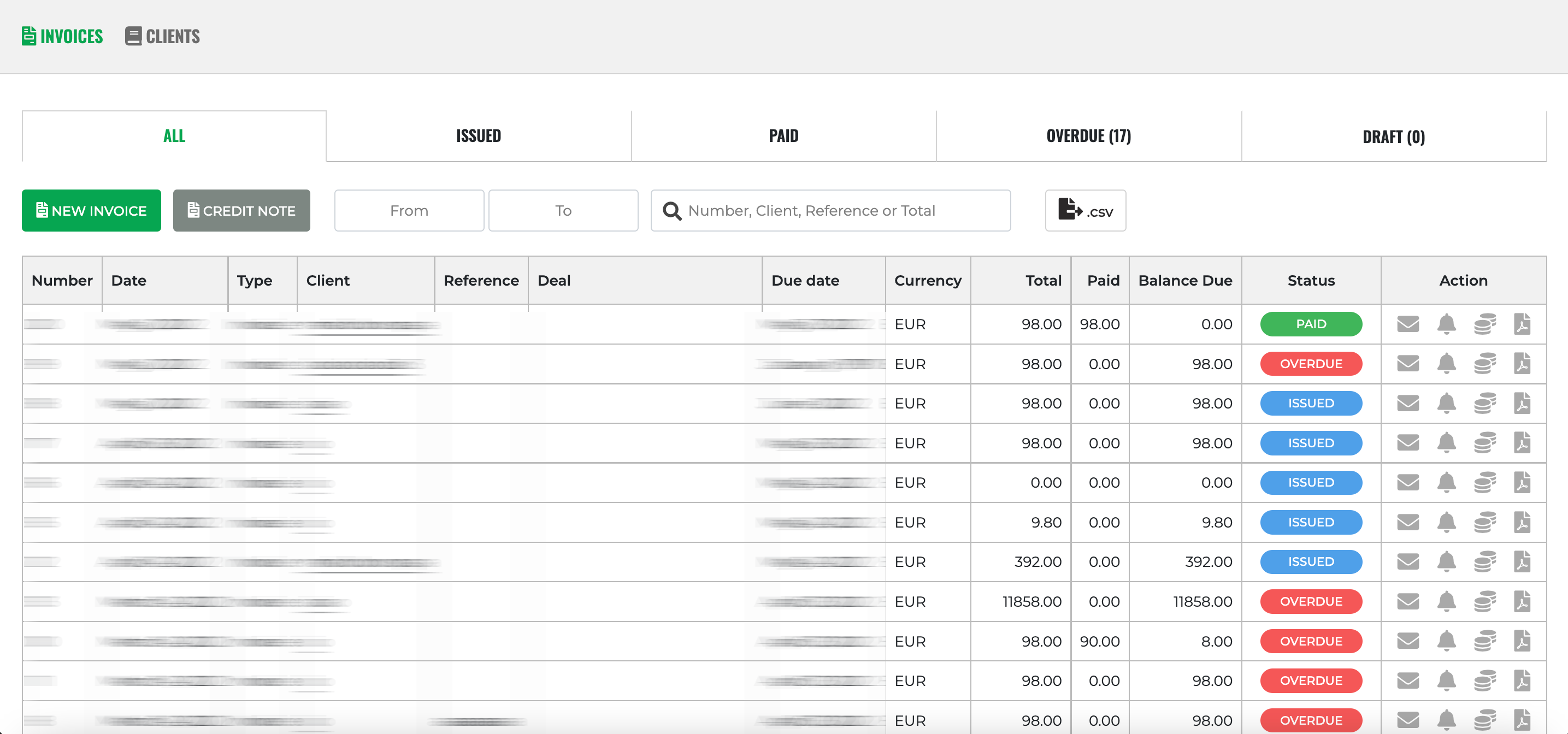
A growing service business may have a deal in its CRM, a quote in a document tool, and an invoice somewhere else. Onpipeline puts those records in the same place.
A rep can follow a lead through the sales pipeline, prepare a quote, collect an e-signature, and create an invoice from that quote. The invoice stays connected to the customer and the deal, which makes the handoff from sales to billing easier to follow.
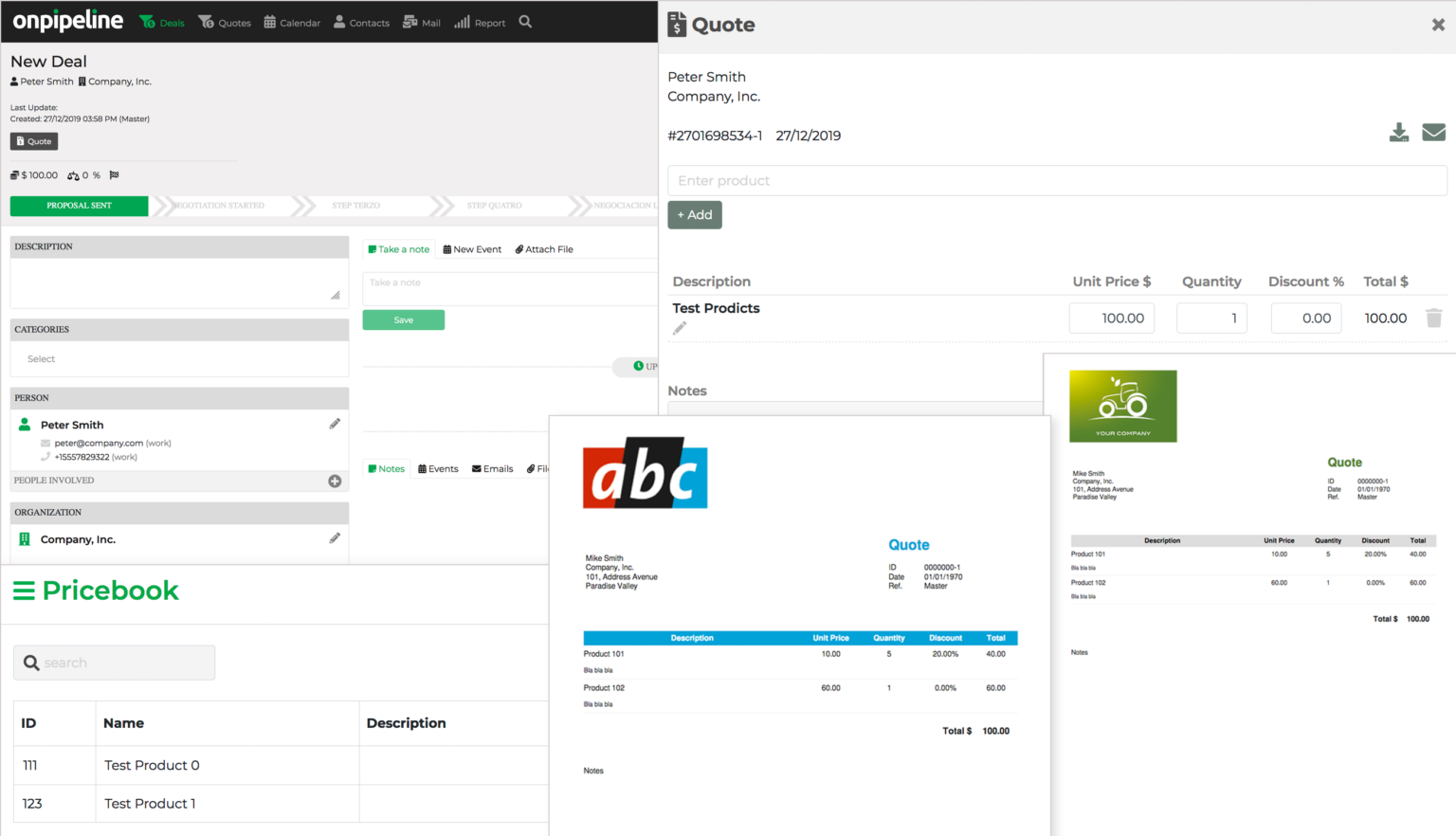
Useful features:
Contact and deal management, visual pipelines, quotes and e-signatures, invoice and credit-note creation, email integration, workflow automation, and sales reporting. Invoicing is native on every plan; the quote manager starts on Standard.
On the Advanced plan, customers can follow a link to their secure Customer Portal to view invoices alongside shared documents. Customer Portal
Pricing:
- Pipeline is $ 25 per user/month with 200 invoices/year
- Standard is $39 per user/month, with quotes, e-signatures, automation, and up to 1,000 invoices a year.
- Advanced is $58 per user/month, with unlimited invoices and Stripe-connected online payments.
All are billed monthly. Onpipeline offers a 30-day trial.
See plans and invoicing details.
Where it fits: Agencies, consultancies, B2B service firms, and other teams whose billing starts with a sales conversation. If you need full bookkeeping, bank reconciliation, or direct submission to a country’s mandated e-invoicing system, check your accounting setup separately. Onpipeline says it does not directly integrate with country-specific e-invoicing or tax-reporting systems. Payment reminders are sent manually; Stripe-connected payments require Advanced.
QuickBooks Online
best when bookkeeping leads the decision
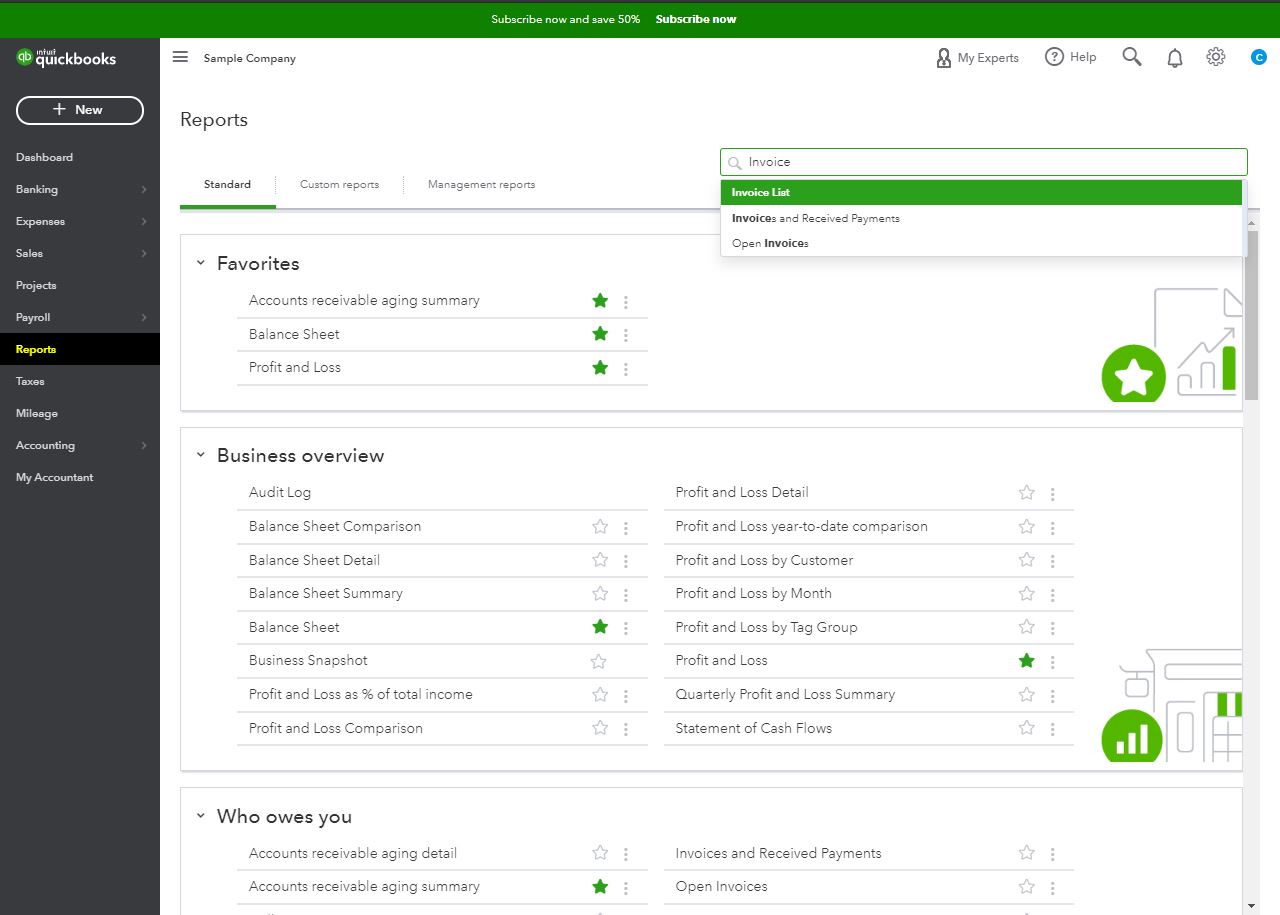
QuickBooks Online is a practical choice if your accountant already works in QuickBooks or you want invoicing beside expenses, bank transactions, and financial reports. It supports estimates, invoices, payment collection, and accounting workflows. It is less focused on tracking leads through a sales pipeline.
Pricing: Simple Start is 38/month
QuickBooks also shows a limited Free tier, but that allows only two invoices per month unless you qualify for and enable QuickBooks Payments
Best for: Businesses that want their invoicing inside their bookkeeping system.
Xero
best for finance-led teams
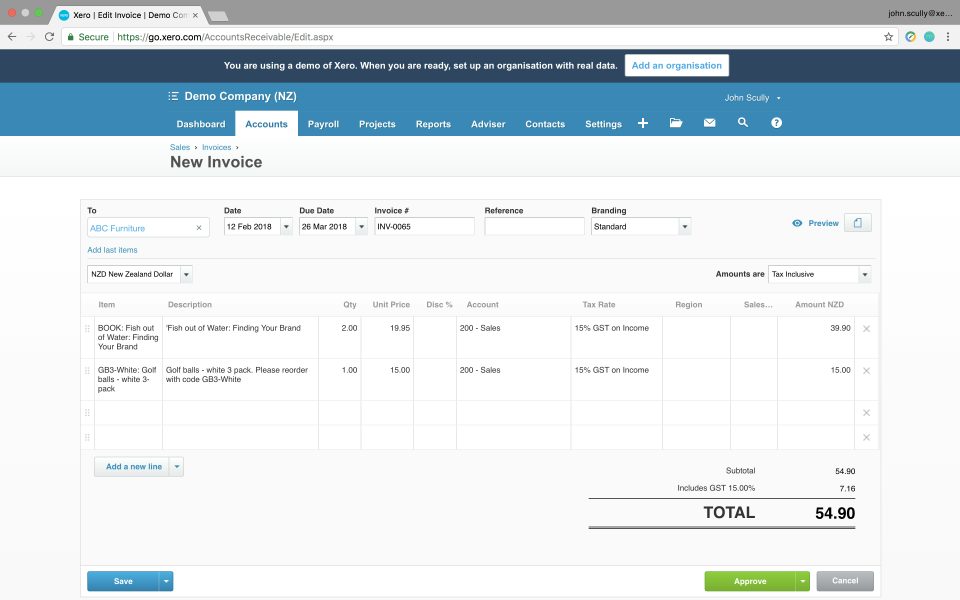
Xero pairs online quotes and invoices with bank reconciliation, bills, and reporting. If you work closely with a bookkeeper, those finance tools may matter more than CRM features. Watch the entry-plan volume limit before choosing it for a busy service business.
Pricing:
- $25/month for Early
- $55/month for Growing
- $90/month for Established
Early allows up to 20 invoices and five bills per month; Growing removes those limits.
Introductory offers may lower the initial cost.
Best for: Teams whose accountant or finance workflow is the center of the business.
Wave
best free option for straightforward invoices
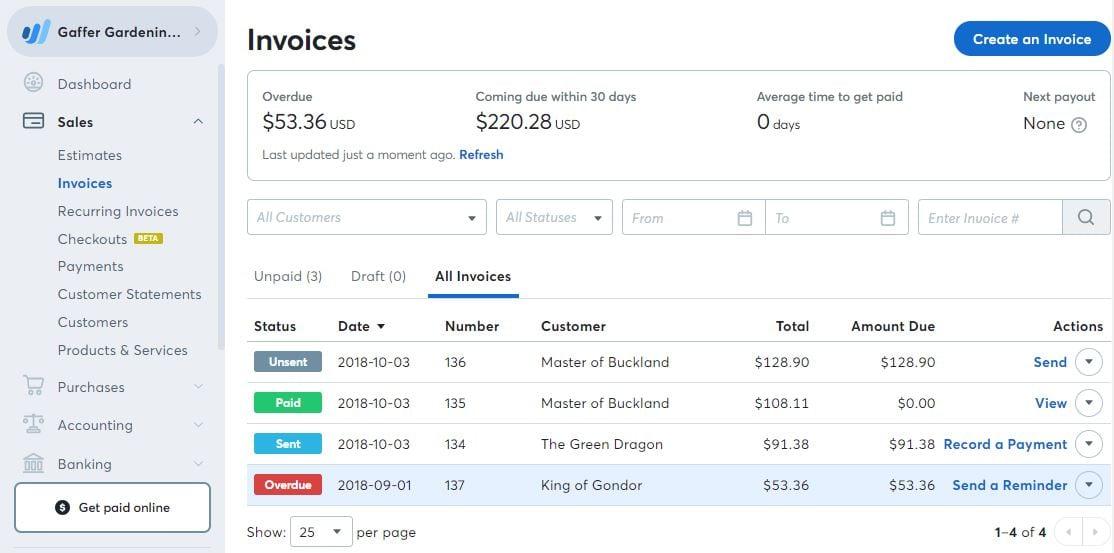
Wave’s free Starter plan is a sensible place to begin if you mainly need to send invoices and estimates and keep basic books. You can make unlimited invoices and estimates, and you can offer online payments. Pro adds conveniences such as automatic late-payment reminders, receipt capture, and bank transaction imports.
Pricing:
- Starter is free
- Pro is $19/month or $190/year
Online card payments carry processing fees on either plan; for US Starter, Wave lists 2.9% + $0.60 for standard card transactions.
Best for: Solo operators who want to start invoicing without a subscription and do not need a sales pipeline.
Invoice Ninja
best for flexible or self-hosted invoicing
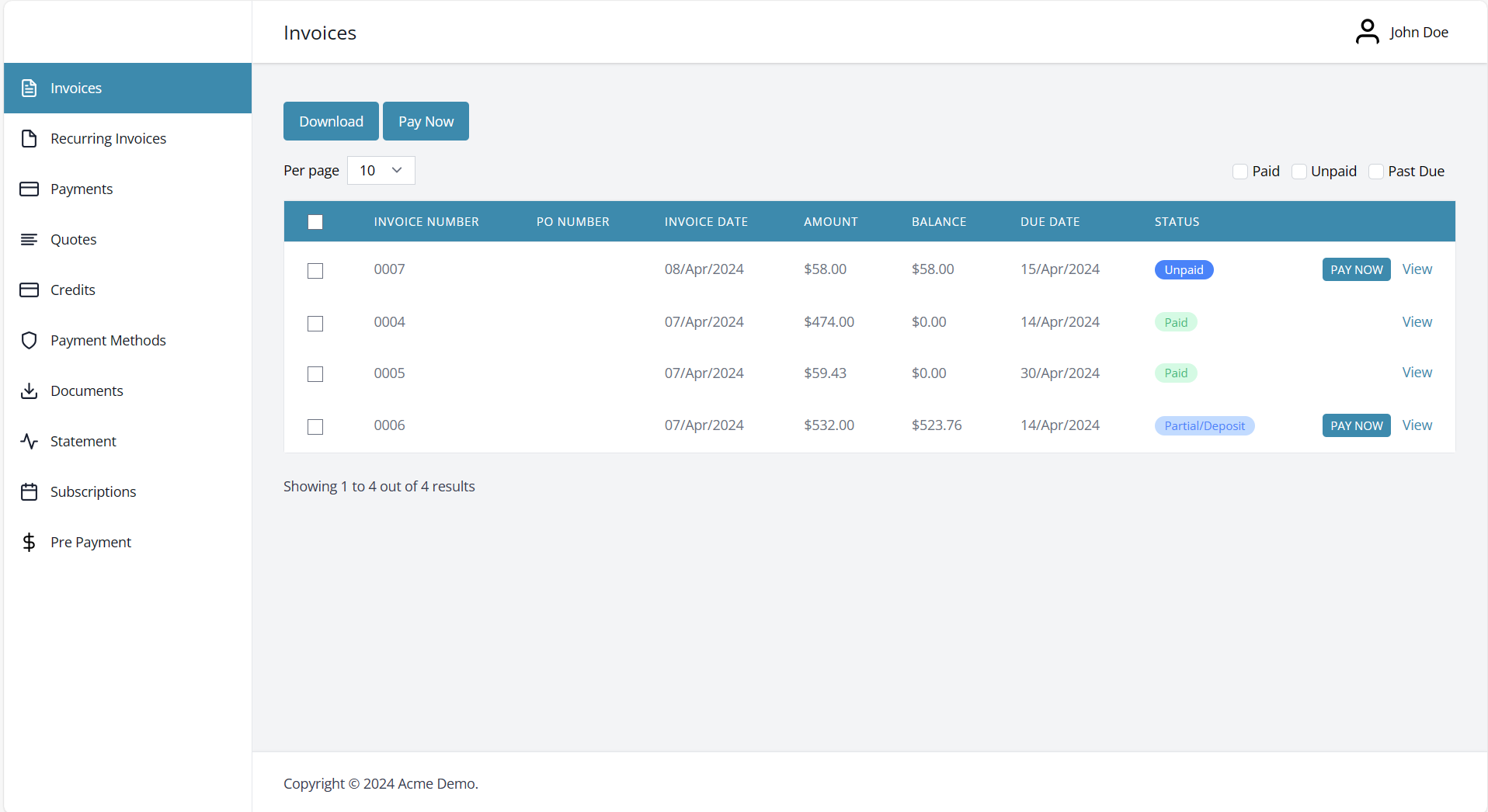
Invoice Ninja gives you estimates, recurring invoices, payment gateways, a client portal, and plenty of control over invoice presentation.
You can use its hosted service or run it yourself. Its current self-hosted software is source available under Elastic License v2, so “open source” is no longer an accurate blanket description.
Pricing:
The hosted Free plan supports five clients and unlimited invoices.
- Ninja Pro is $14/month
- Enterprise starts at $18/month for one or two account users.
Self-hosting has different operational costs; Invoice Ninja lists $40/year for self-hosted white-labeling.
Best for: Businesses that want a configurable invoicing tool, especially if they are comfortable managing a self-hosted app.
Which invoicing software should you choose?
Choose for the work you do before the invoice.
Xero may be the better home for billing. If the budget is zero, start with Wave or Invoice Ninja and check their payment fees and limits.
If your team regularly moves from
lead → deal → approved quote → invoice
Onpipeline deserves the first look. Its Standard plan brings that chain into one CRM at $39 per user/month, without a separate quote or invoicing subscription. Choose Advanced if customers need to pay the invoice online through Stripe.
| Software | Best fit | CRM included? | Starting price | Watch for |
|---|---|---|---|---|
| Onpipeline | Sales teams that invoice customers | Yes | $25/user/month; $39/user/month for quotes | Stripe invoice payments require Advanced ($58/user/month) |
| QuickBooks Online | Accounting-first businesses | No full sales pipeline CRM | Simple Start $38/month | The free tier has a two-invoice monthly limit |
| Xero | Teams working closely with a bookkeeper | No native sales pipeline CRM | Early $25/month; Growing $55/month | Early has a 20-invoice limit; US prices rise October 1 |
| Wave | Free basic invoicing | No sales pipeline CRM | Starter free; Pro $19/month | Card processing costs extra |
| Invoice Ninja | Flexible invoicing or self-hosting | No sales pipeline CRM | Hosted Free; Pro $14/month | Hosted Free covers up to five clients |