Calendar & Activity Management

Integrated calendar for your daily activities. 

Easily create and track specific events linked to your deals or contacts.

CRM Calendar & Activity Management
Calendar details

week start day can be customized

A personal calendar is available in all plans to track any activity, whether or not it is connected to customers. If you link the activity to a customer, you will be able to retrieve it at any time from the contact’s history.

Custom Activities –  When you create an event, we offer a default classification (task, call, meeting, deadline), but you can add other event types in the settings according to your needs (for example, you could add “interview,” “post-sale follow-up,” etc.) to better track activities in reports.

Also, when creating the event, it is possible to send an invitation; it will be sufficient to enter their email address.

Teamwork –Team leaders and administrators can access their own calendar, but they can also view and create events in other users’ calendars or simply add useful notes.
Integrated Online Booking

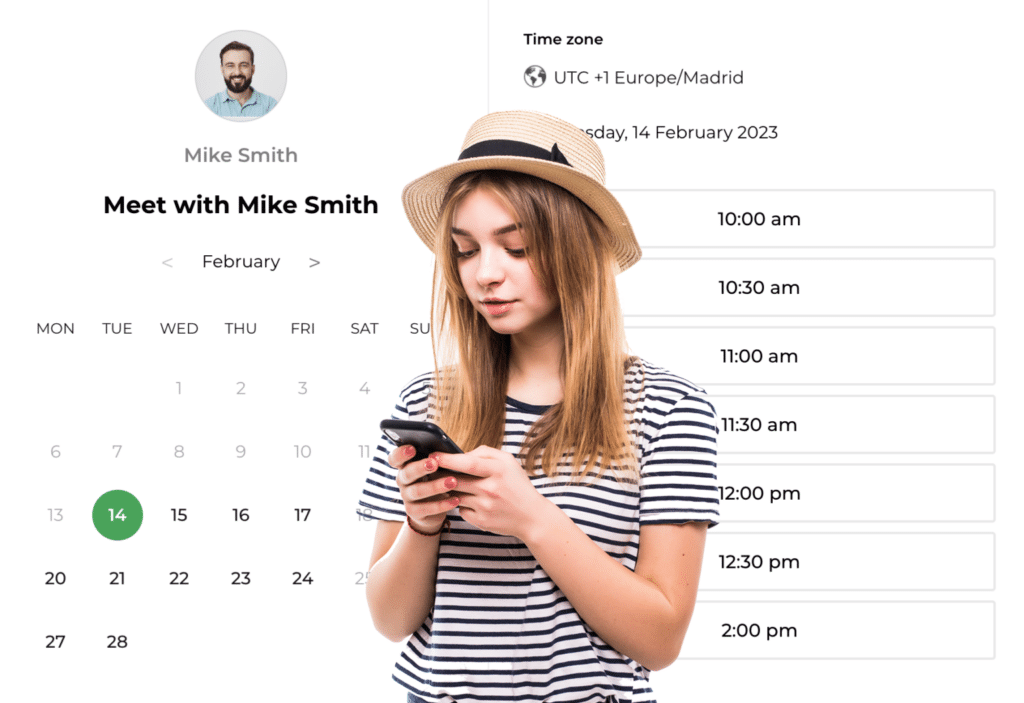
Save time spent on making appointments over phone and emails with this easy-to-use online appointment booking software. Simply define your availability and have clients making bookings 24/7. 

Our tool ensures that when you book times on your calendar, the availability of those times is automatically adjusted to avoid any double bookings. 

You can easily adjust or rearrange schedules to ensure that the conflict is resolved.  This may involve changing the start and end times of the events or finding an alternate date or location for the activities.

Online Appointment Booking Software
Gmail or Outlook calendars in a two-way replication with CRM

2-way calendar sync

Additionally, you can choose whether to sync your calendar with your existing Gmail or Outlook calendars in a two-way replication.

This means you can automatically import events and appointments from your Gmail or Outlook calendars into our system, but you can also export events from our system back to Gmail or Outlook.

This seamless synchronization ensures that you have a unified view of all your appointments and commitments across platforms, making it even more convenient to manage your schedule effectively.

Recurring Tasks and Activities

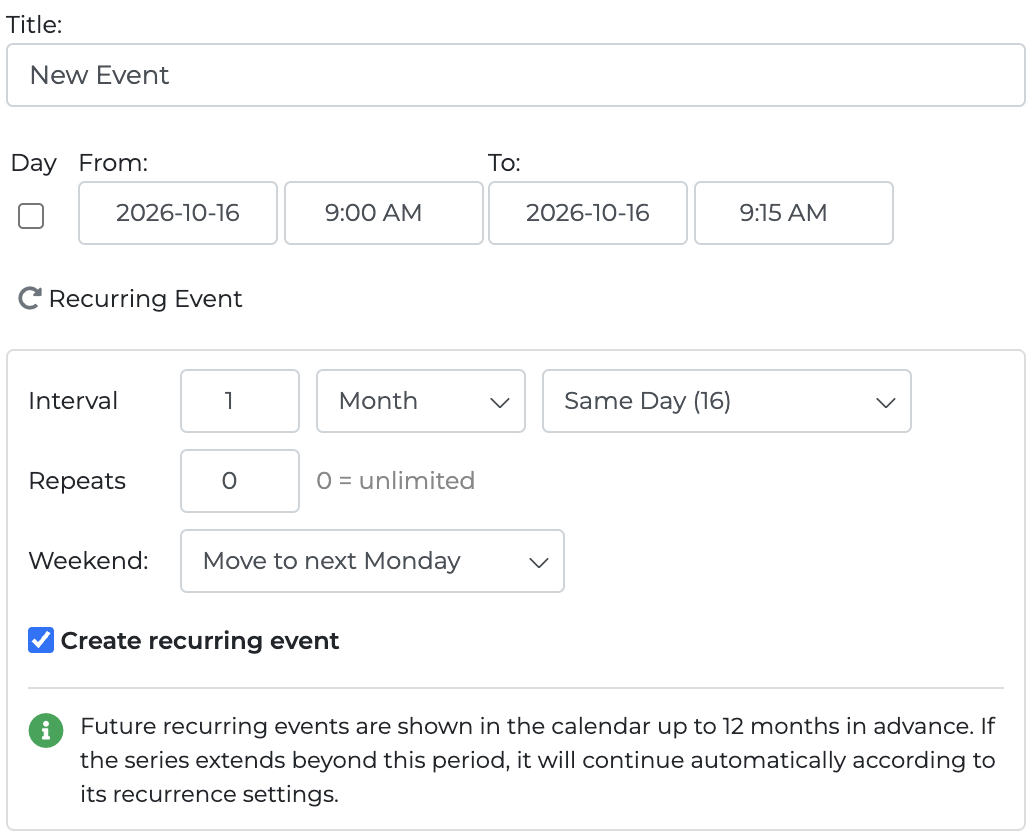
Need to schedule tasks, follow-ups, or deadlines on a regular basis? Onpipeline can automatically create recurring calendar activities based on a daily, weekly, monthly, or yearly schedule. You can define the interval, set the number of repetitions or leave the series unlimited, choose how monthly recurrences are handled, and decide what happens when a date falls on a weekend.

Recurring events are especially useful for:

  • Periodic customer follow-ups
  • Regular calls and check-ins
  • Recurring administrative tasks
  • Account reviews
  • Deadlines and annual filings
  • Post-sale activities
  • Scheduled internal reminders

Recurring Events

Mark events as completed

In various areas of the CRM, you can flag the event as dne. This will allow you to accurately track your activities, especially those entered into the pipeline

Mark events as completed

Automate Follow-Up Activities

From Standard Plan

Follow-up activities do not always need to be created manually. With Onpipeline’s CRM workflow automation, you can automatically schedule tasks, calls, meetings, and other calendar activities when specific events occur in your sales process.

For example, when a deal moves to the “Proposal Sent” stage, the CRM can automatically create a follow-up task after a predefined number of days and assign it to the deal owner. Activities can also be generated  when contacts or deals are created or updated, without relying on manual reminders.

Appointment reminders

Appointment reminders 

From Standard Plan

Send proactive email, SMS, or WhatsApp reminders before important events such as phone calls, meetings, or custom events.

Setting up these notifications is a breeze. We have simplified the configuration steps to ensure a smooth experience. You can quickly integrate your preferred email, SMS, or WhatsApp services into our system, allowing you to automate your reminders.

Gantt

Gantt 

A very useful Gantt view (a graphical representation of activity against time) if you schedule tasks over a period and want to assess the commitment. The team leaders can check or add activities on their team’s calendars.

Start for Free

No credit card. Free for 14 days.
Keep your data when you subscribe.
Your Full Name
Company Name
Business Email
Choose a password

By continuing, you agree to our Terms and Privacy Policy

Should you have any questions please contact us

Interested but short on time?

Leave your email and we’ll reach out to schedule a conversation with one of our specialists. It’s free and with no commitment.

By submitting, you agree to our Privacy Policy