
Call Center CRM
*****
Manage calls, outcomes, follow-ups and sales opportunities in one CRM
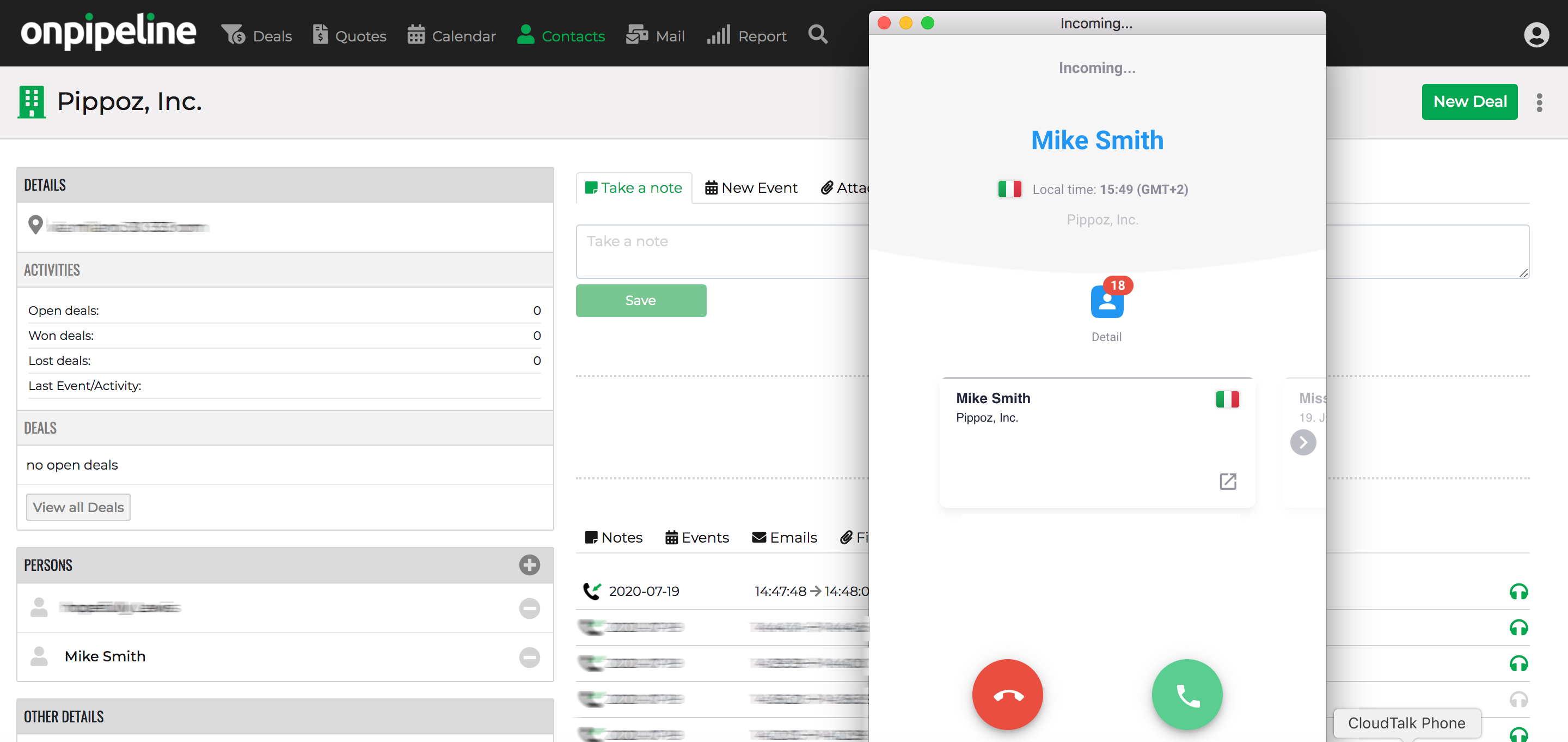
Make and Receive Calls
Call centers rely on fast communication, structured follow-ups and continuous customer interactions.
Manage inbound and outbound calls while keeping calls, notes and activities connected in one place.
Keep call recordings linked to customer records, allowing agents and managers to review conversations, improve service quality and maintain a complete interaction history.
Onpipeline integrates with cloud phone systems, call center platforms and SIP-based providers, allowing teams to work with their existing telephony infrastructure.
Schedule Calls & Activities
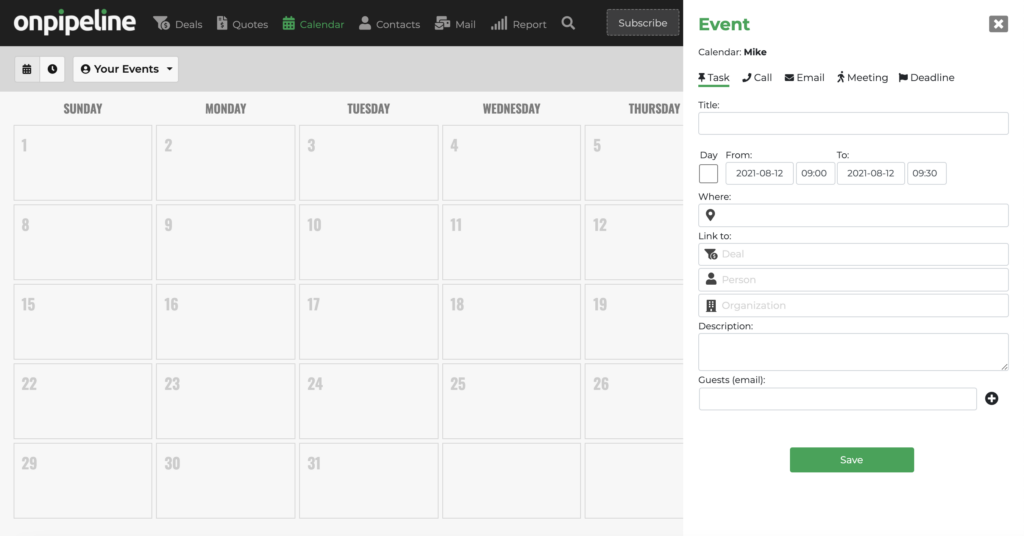
Call centers depend on structured follow-ups and timely interactions.
Use activities, reminders and calendar scheduling to organize calls, callbacks and customer communications.
Keep next actions visible across the team and ensure every opportunity receives follow-up.
Track Call Outcomes & Opportunities
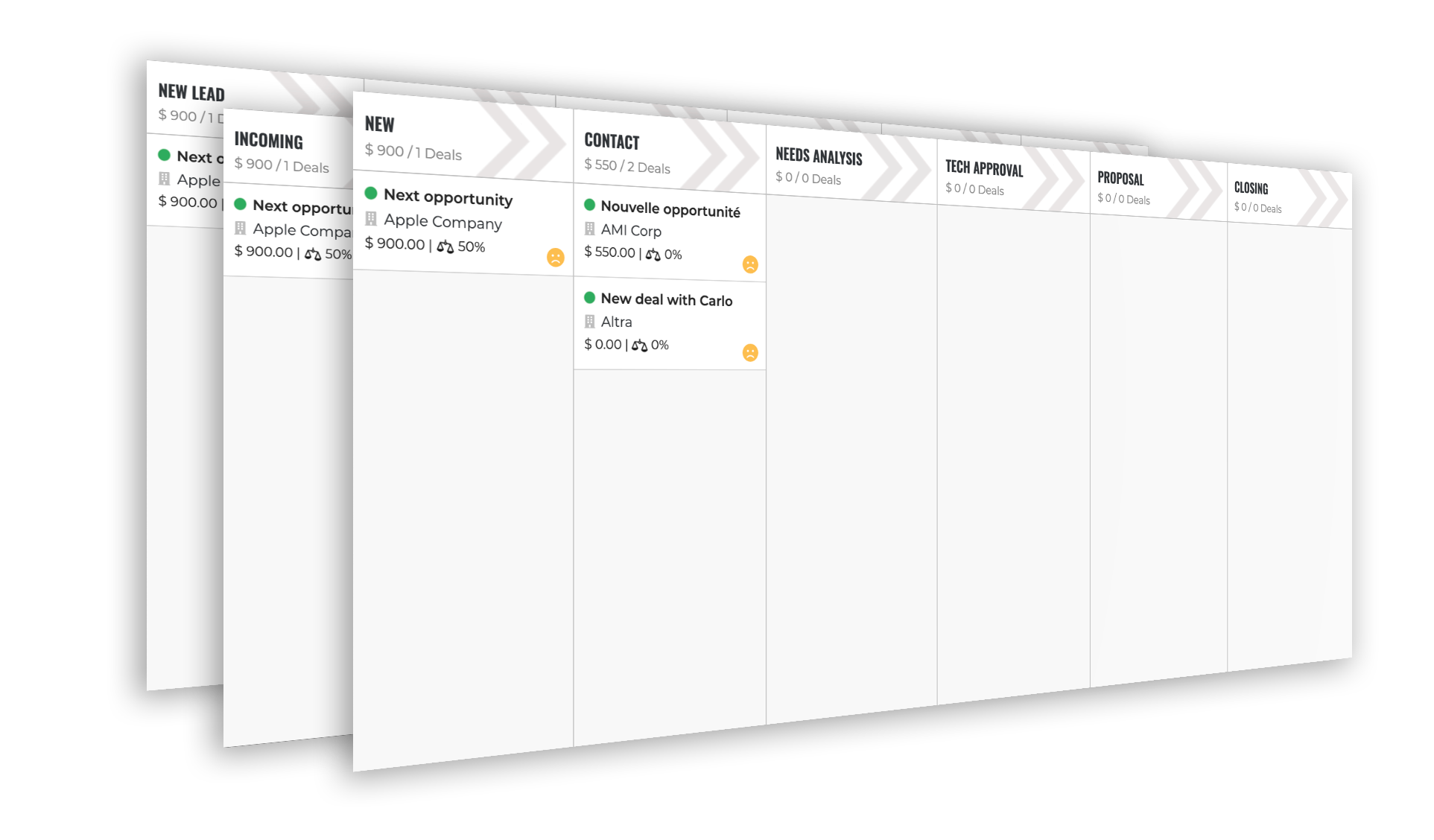
Use a customizable pipeline to track customer interactions, call outcomes and sales opportunities from first contact to conversion. Monitor every opportunity, schedule callbacks and keep customer interactions visible throughout the sales process
Workflow:
→ Lead
→ First Contact
→ Follow-Up
→ Qualified
→ Callback Scheduled
→ Closed
Track call outcomes, callbacks and sales opportunities from one place
Automate Call Center Workflows
Call centers handle a high volume of interactions every day. Automate repetitive activities such as follow-ups, reminders, email notifications and task assignments to improve productivity and reduce manual work.
Keep opportunities moving automatically through the workflow while ensuring agents never miss callbacks, customer interactions or next actions.

Integrate
Call centers often rely on multiple systems to manage campaigns, customer data and operations. Onpipeline provides APIs and widgets to connect your Call Center CRM with external applications, databases, cloud phone systems and third-party platforms.
Custom fields allow teams to extend the CRM database and synchronize customer information, campaign data, call outcomes, billing details or any other operational information required during customer interactions.
CRM benefits in Call Centers
1. Improved customer understanding
A CRM can help build a comprehensive view of each customer, including their buying preferences and behavior, order history, account activity, and outstanding issues or requests. This detailed customer profile can enable sales representatives to personalize their approach and better meet customer needs.
2. Increased sales productivity and efficiency
A CRM in Call Centers can automate various time-consuming and redundant tasks for sales representatives, such as data entry, lead management, and follow-up scheduling. This way, sales reps can focus on revenue-generating activities like prospecting and closing deals. Sales managers can use a CRM to track and analyze agent performance to streamline the sales process further.
3. Enhanced customer engagement
A CRM can enable sales reps to manage multiple channels of customer communication in one place, from emails and phone calls to social media interactions. Representatives can quickly respond to customer queries and concerns in real-time, building stronger relationships with customers.
4. Improved sales forecasting and planning
Call Centers can provide sales managers with critical insights into the sales pipeline, enabling them to forecast future revenues and adjust strategies accordingly. Managers can also use CRM data to identify areas of improvement and recalibrate sales tactics to increase conversion rates.
5. Better cross-selling and upselling
With the comprehensive view of customer profiles, along with previous purchase behaviors and order history, a CRM can help sales representatives identify potential cross-selling and upselling opportunities, ultimately driving more revenue for the company.