
Platform Features
Sales Process
All plans
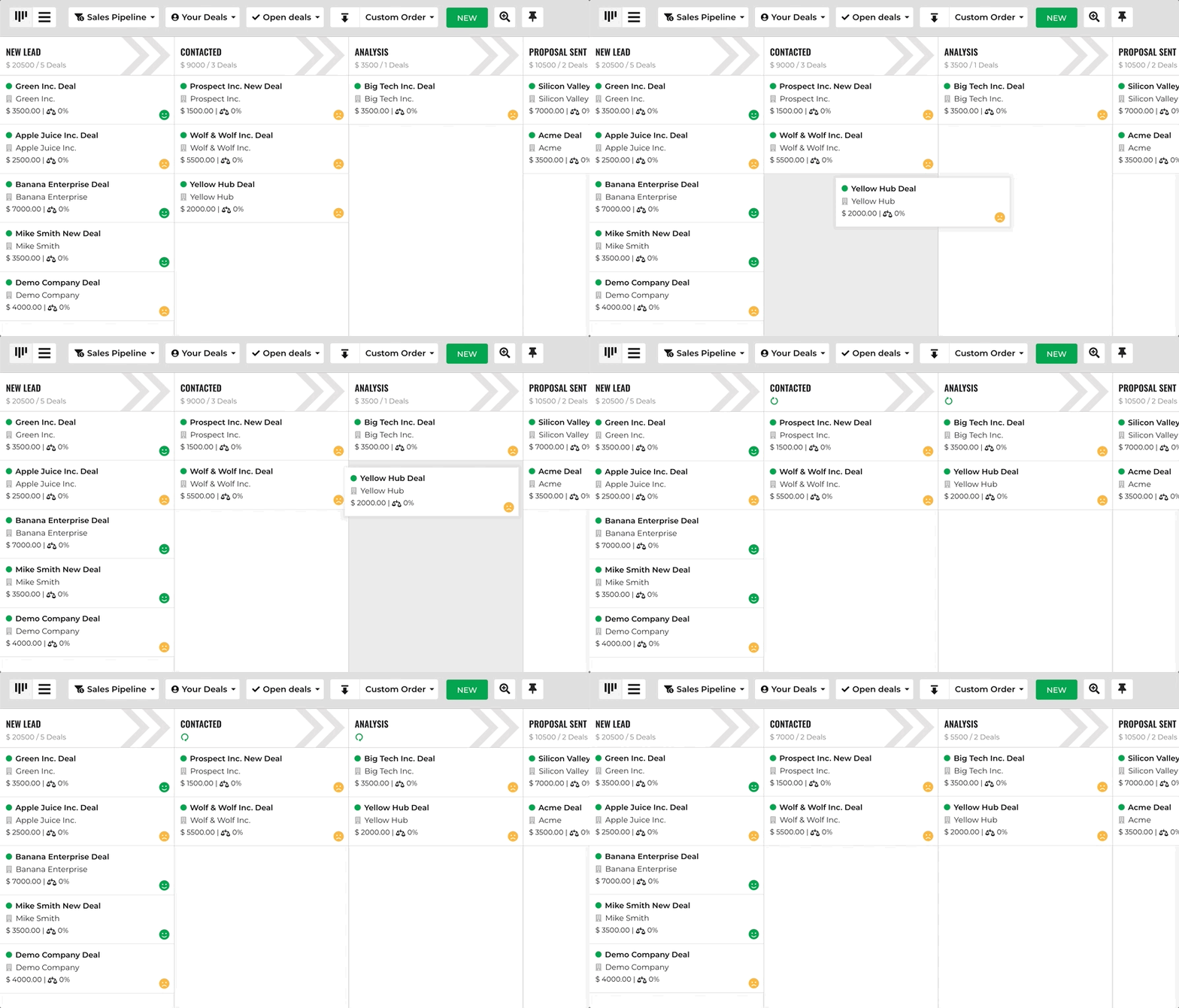
Sales Pipelines help you keep track of your deals. They provide information based on the stage of the pipeline. See how many deals are in each stage of the sales, sort, filter and make decisions to move deals.
Customizable – Decide how many stages your pipeline will have and name stages as you prefer. Also, you may create as many Pipelines as you wish and assign a Pipeline for a specific Team.
Contacts in one place
All plans
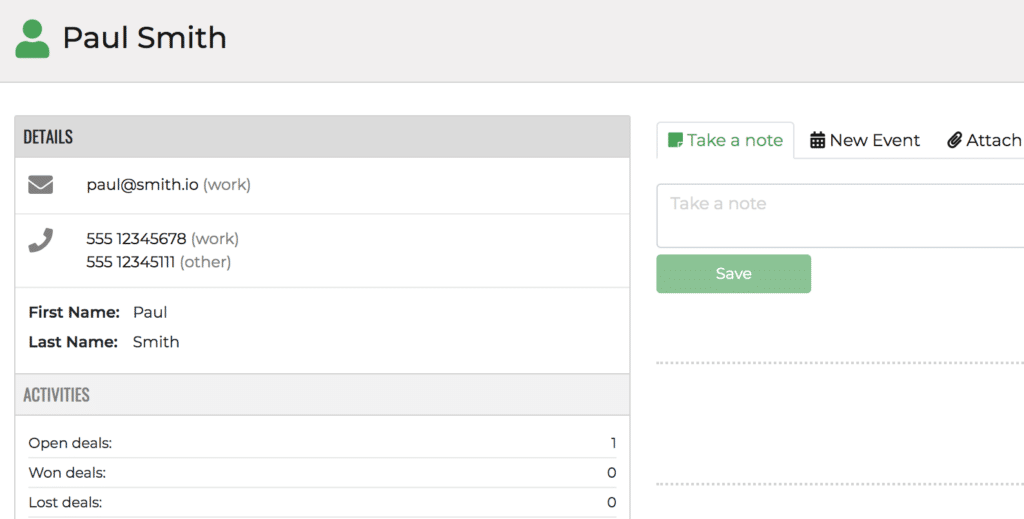
Keep a complete record of every customer and prospect, from contact information and custom fields to notes, files, activities, and every interaction with your business.
Build contact profiles around the way you work. Capture the information that matters most and give sales and marketing teams a shared view of every relationship.
Activities & Follow-ups
All plans
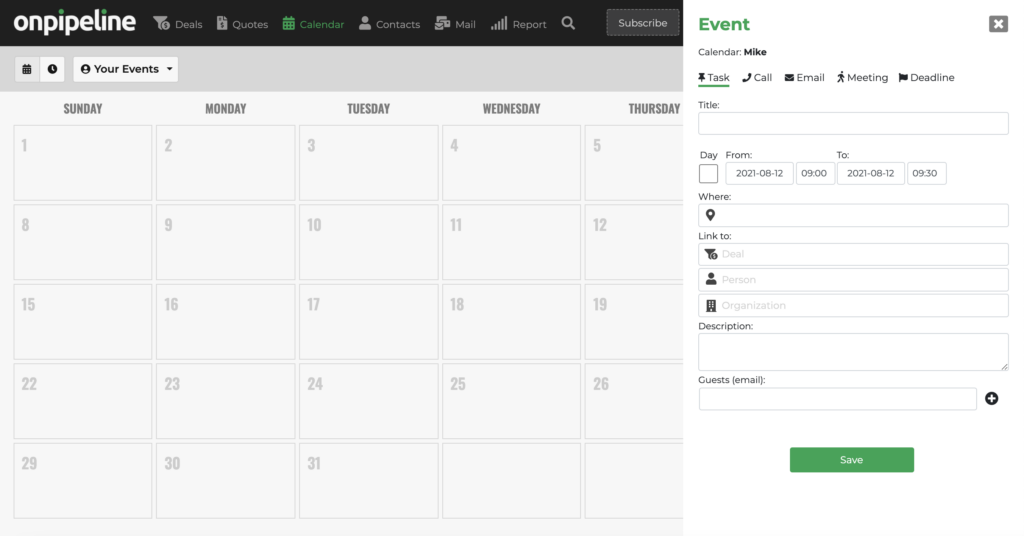
Stay on top of every activity and follow-up. Plan tasks, calls, emails, meetings, and deadlines, link each one to the right deal and contact, and sync your calendar with Google and Microsoft. Create custom activity types tailored to your business.
Your contacts can receive automated reminders by email or text message (SMS), personalized with details such as the date, time, and location.
Customer Communications
From Standard Plan
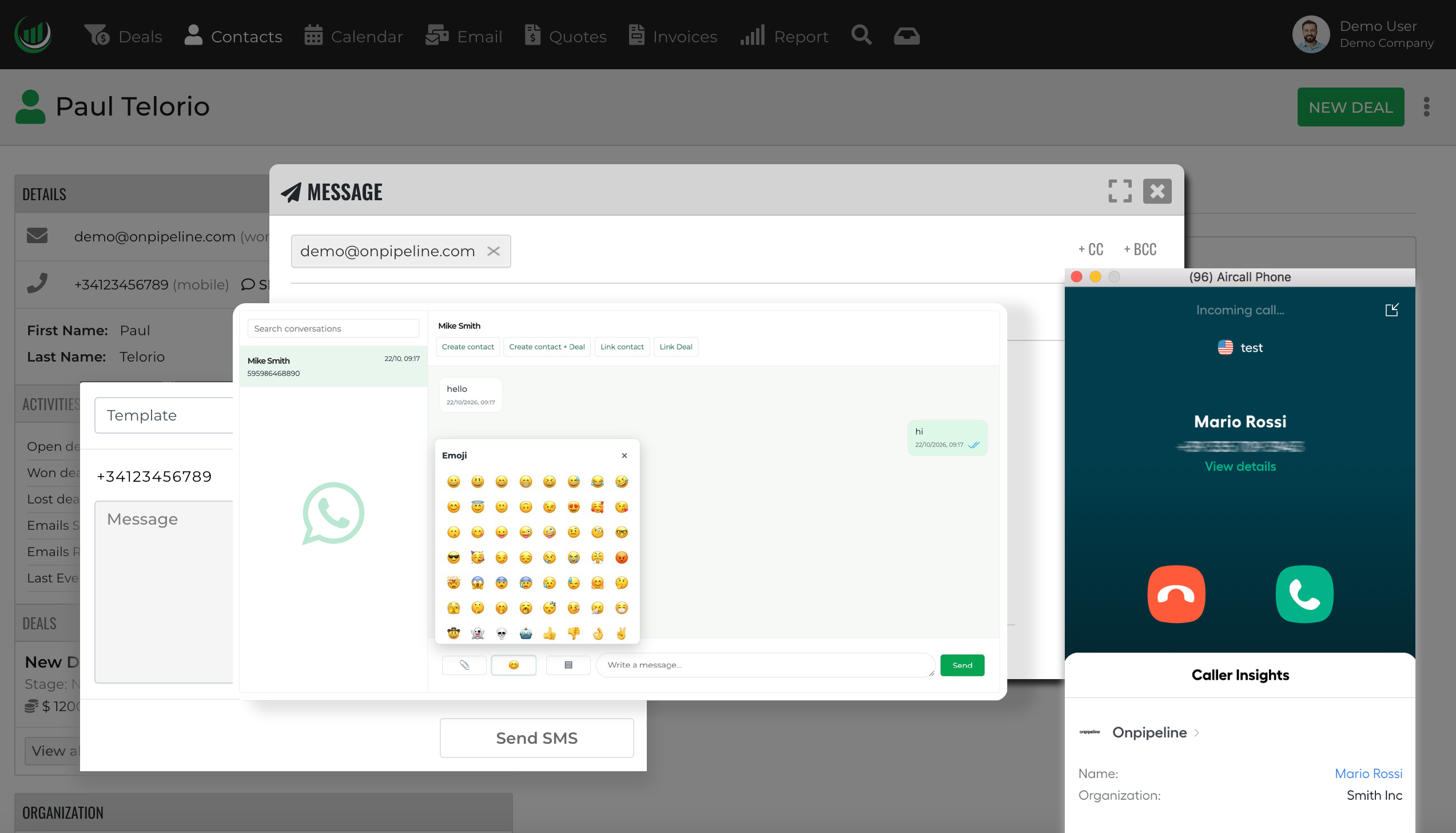
Email, Phone Calls, SMS, WhatsApp
Connect personal or team email accounts, manage WhatsApp chats, track all conversations in your CRM, and make calls with a single click. Keep communication histories linked to contacts and deals through integrated VoIP services. You can also send personalized bulk emails and SMS campaigns, schedule messages, and automate appointment reminders.
Reports & Insights
All plans
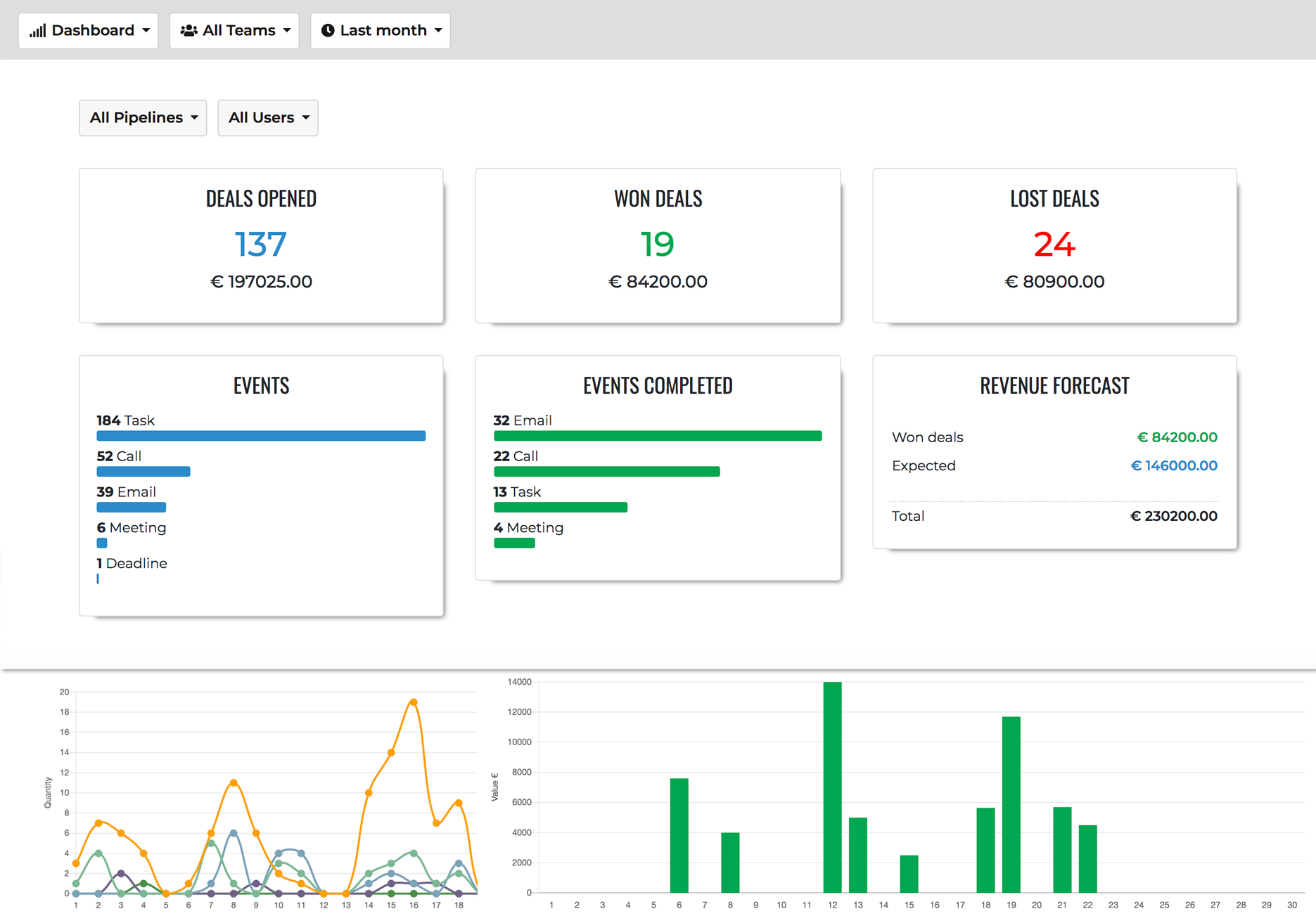
Sales reps can track results and managers can see their team’s performance. You can view deals and activities over time or focus on any specific data point. By analyzing sales KPIs, businesses can forecast sales, identify trends.
– Sales Revenue
– Sales Growth
– Sales Pipeline Value
– Sales Velocity
– Average Deal Size
– Win Rate
– Pipeline Stage Duration
Lead Management
From Standard Plan
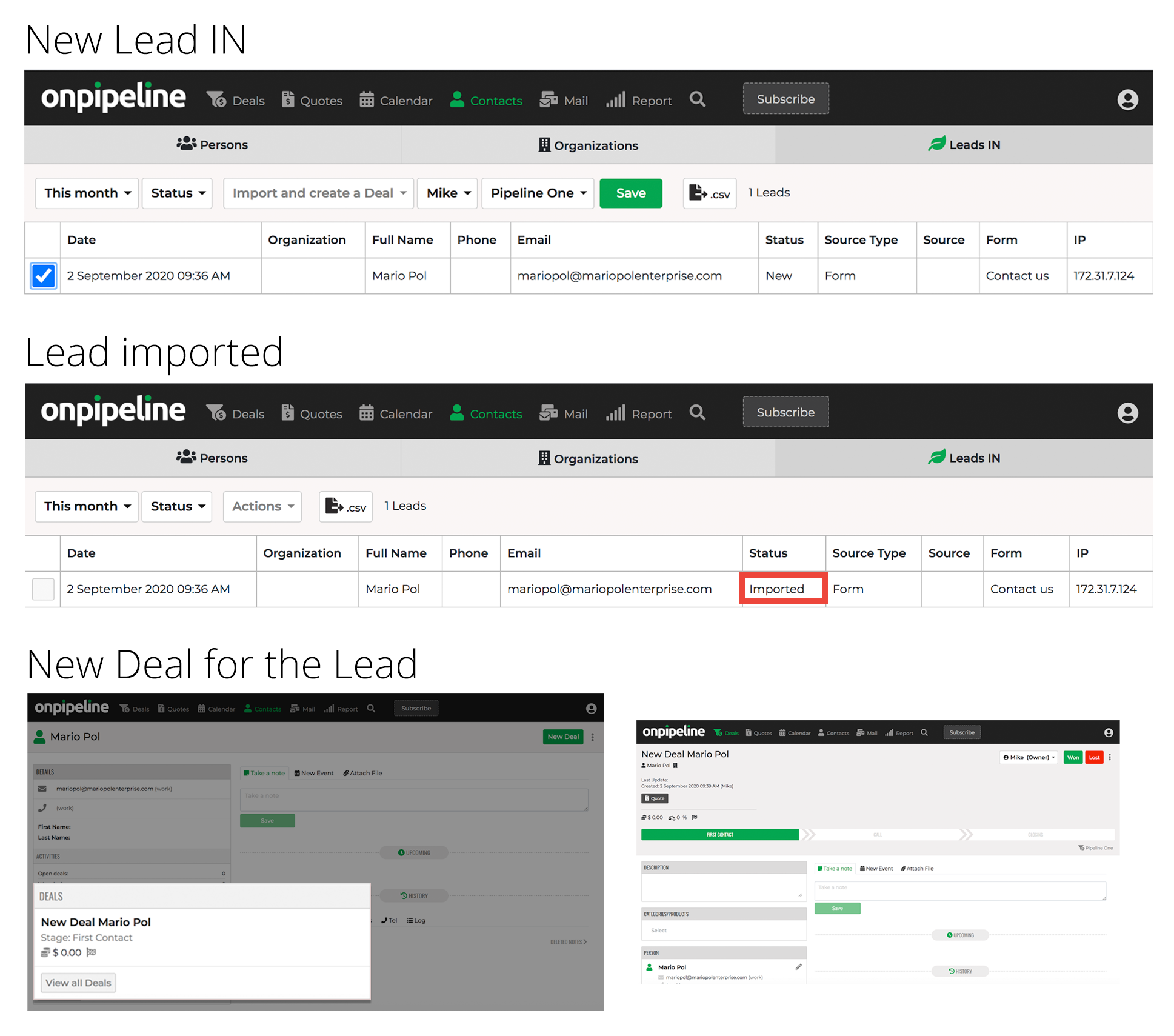
A Lead is a potential customer who has shown interest, typically by engaging with your marketing materials.
Onpipeline enables lead capture through various methods, including web forms and APIs, and allows tracking of lead sources. Tracking lead sources helps you determine whether contacts are coming from specific campaigns or business partners.
In Onpipeline, team members review new leads to decide whether to import a contact, initiate a deal, and assign it to a sales representative.
Onpipeline can automate deal creation, allowing these to be assigned to sales reps based on predefined conditions.
Quote Management
From Standard Plan
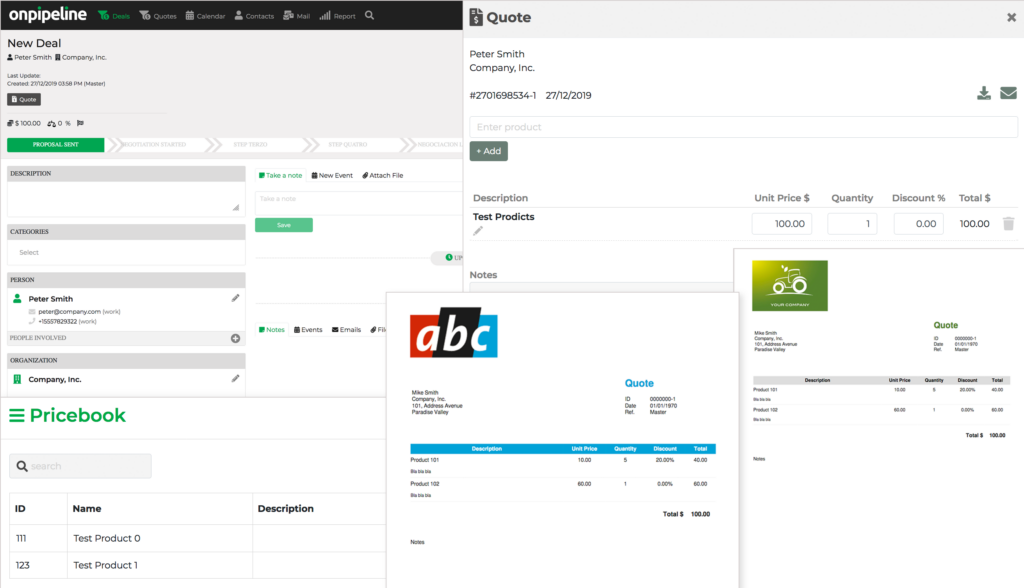
Create sales quotes in minutes, export them as PDFs, send them from your own email, and collect digital signatures to speed up approvals.
– Quote template for each Team
– Subject to team leader/admin approval
– Quote revisions & history
– Automatic currency conversion on mid-market rates
Quote Management →
Inventory Management →
Digital signatures →
Appointment Booking
All plans
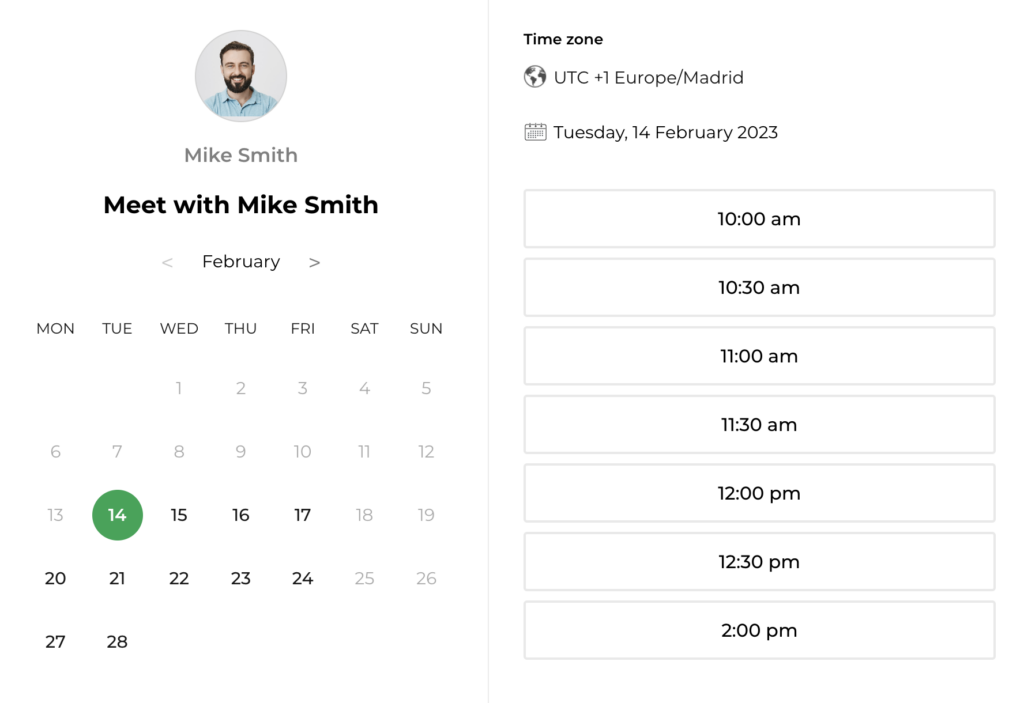
Save time by using our online appointment booking software. It’s faster than phone or email. Define your availability and have clients making bookings 24/7 on your online page.
This tool makes it easy for customers to book appointments with a few clicks. It also helps staff save time by managing appointments, so they can focus on other tasks.
Additionally, it provides customers with an easy way to view their appointment and make changes if needed.
Recurring Revenue
From Standard Plan
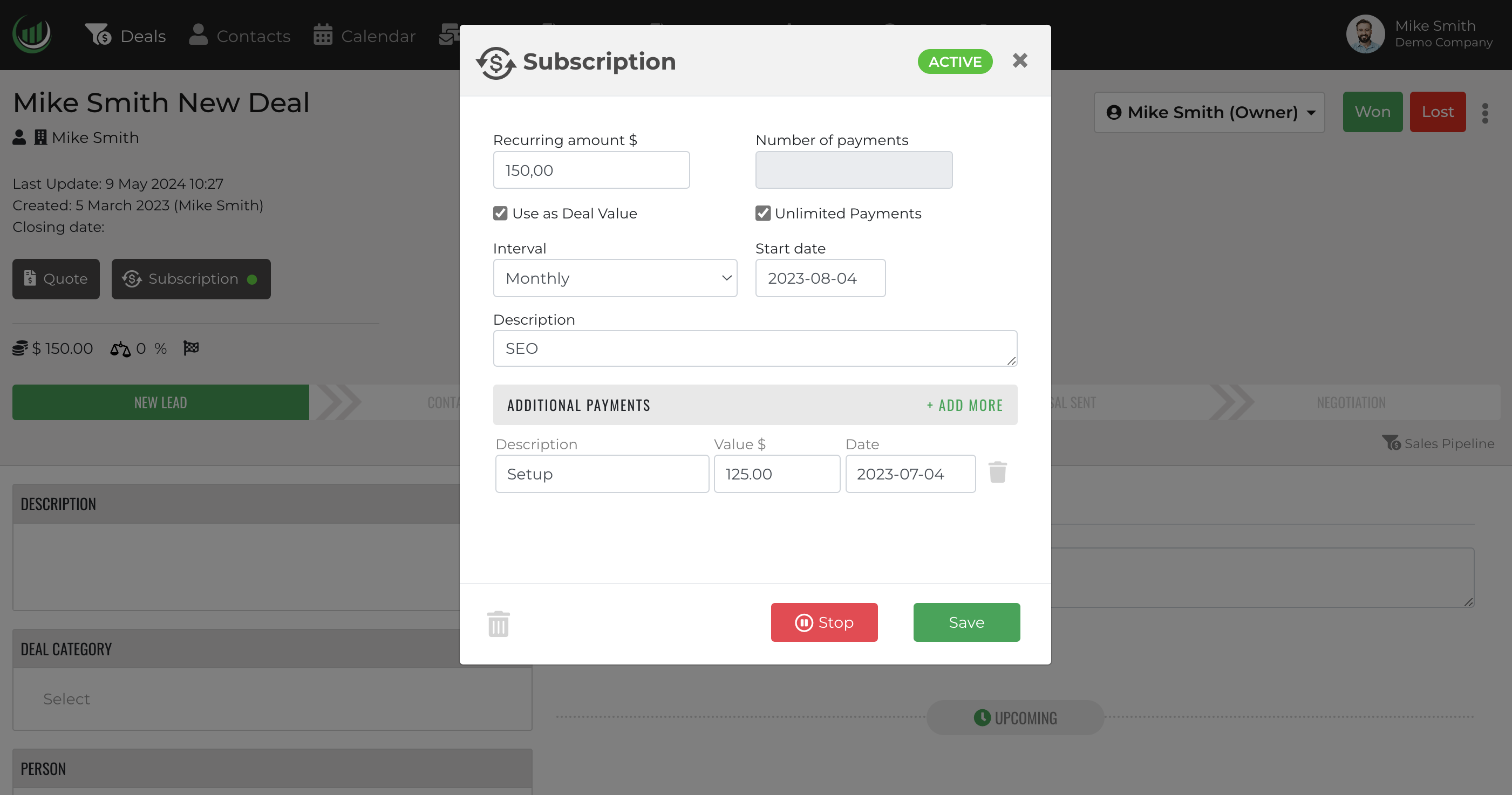
You can easily create a recurring revenue (subscription) starting from the deal. This will allow you to automatically track the value of won deals for the duration of the contract. In addition to the recurring amount, you can also set up payments on specific dates, such as a setup fee.
This feature removes the need to duplicate deals every time, which is a common issue in other CRMs.
Invoicing
All plans
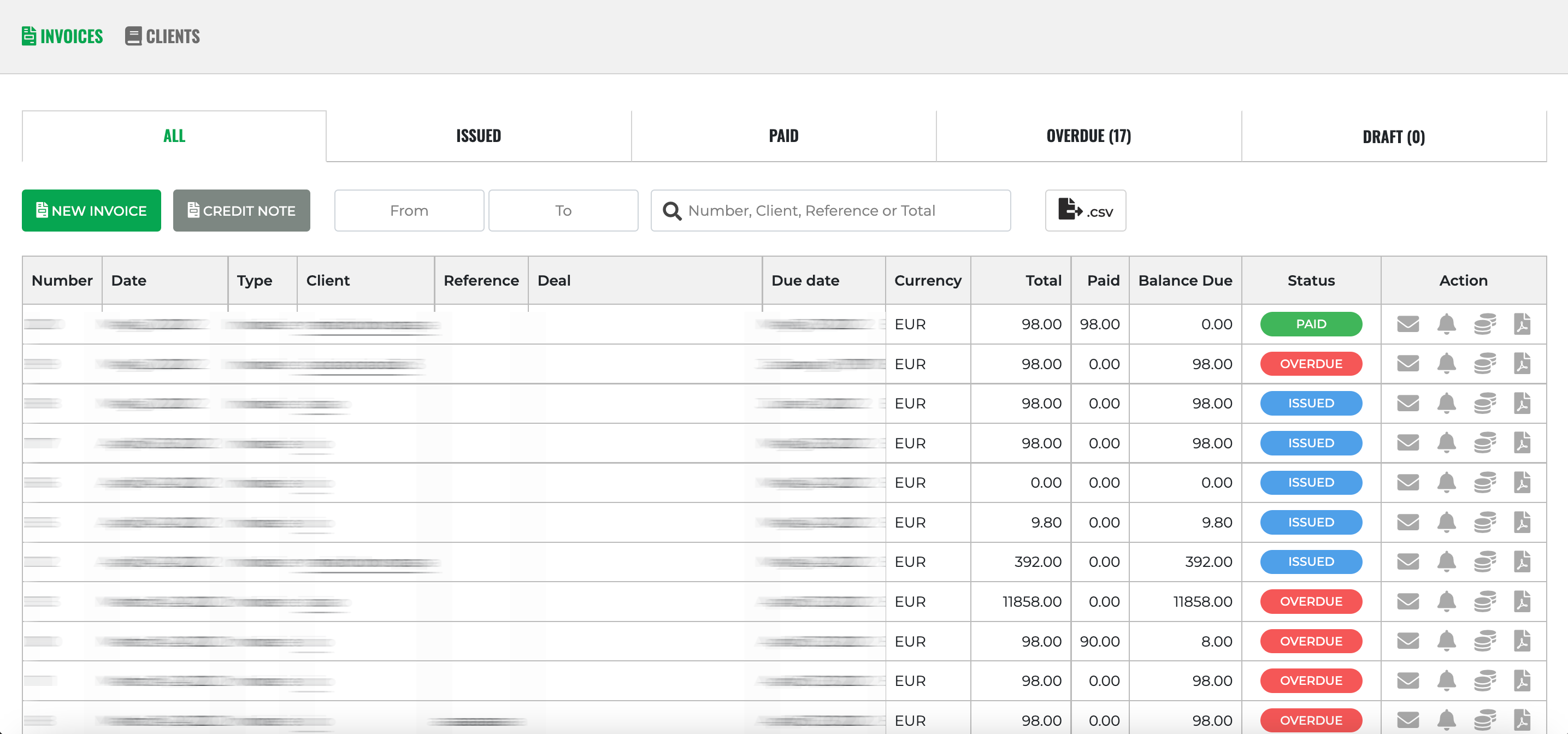
Onpipeline also offers native invoicing, eliminating the need for external modules. You can create multilingual and multicurrency invoices (or proformas), send them with a click, record payments, send reminders, and track the status of drafts, paid, and unpaid invoices.
Sales Goals
Advanced Plan
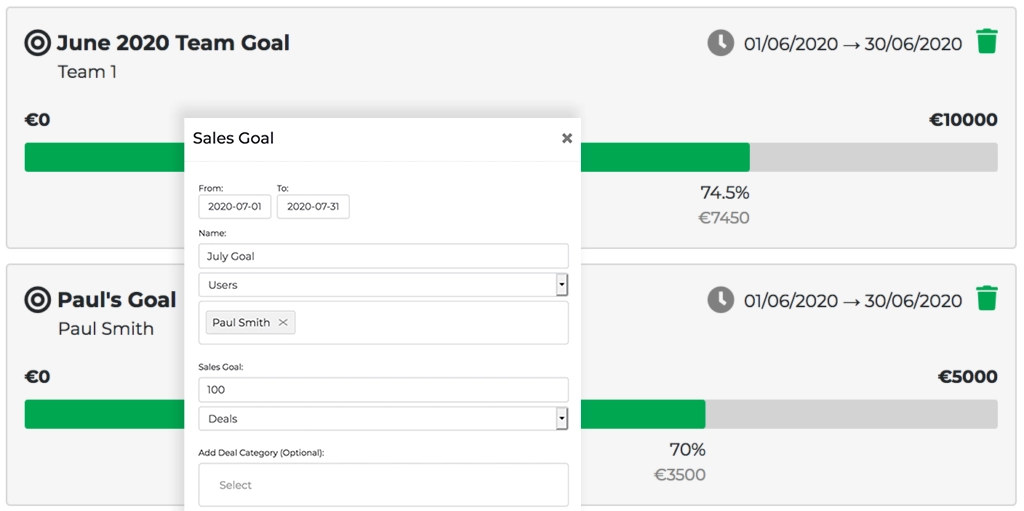
Assign targets to sales reps or teams, helping them stay focused on achieving specific outcomes within a defined time frame. Track them by deal category or pipeline, and monitor progress with a visual progress bar.
This feature motivates sales teams by providing clear, measurable objectives, ensuring that each rep knows exactly what they need to achieve.
Customer Portal & DMS
Advanced Plan
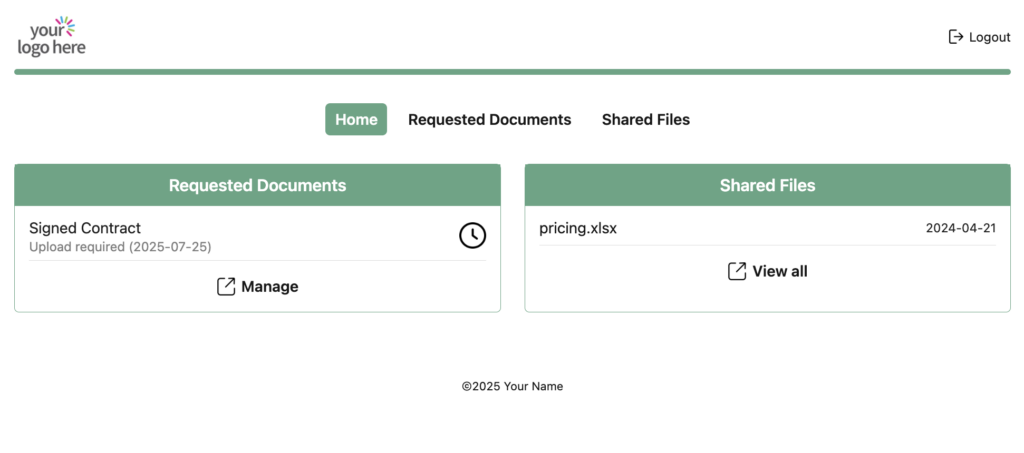
The Customer Portal gives your customers a secure, branded area where they can access shared files, view invoices, and upload requested documents. You can create and manage Document Requests, while reviewers can check submitted files, approve them, or reject them with a reason, keeping the whole process connected to the relevant Person, Organization, or Deal in Onpipeline.
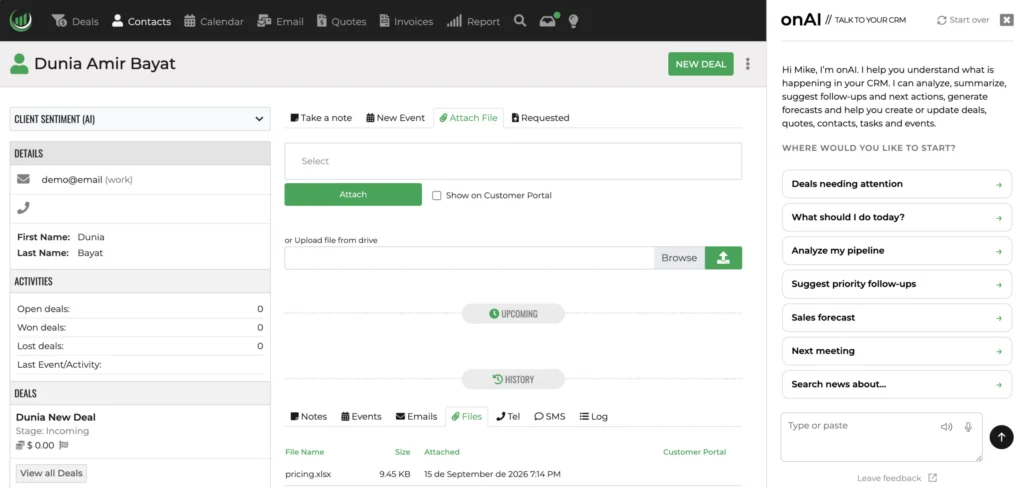
AI CRM
All Plans
Onpipeline AI understands your customer context and can create or update records, manage deals, schedule activities, draft emails, prepare quotes, generate PDFs, and send documents for signature. Instead of navigating through multiple screens or completing each step manually, your team can run complete sales workflows with a single request.
AI CRM →
... and more powerful features to give you complete control
Unlimited Teams
Onpipeline is organized into Teams. A Salesperson can be part of one or more teams. Within any team you can appoint Team Leaders, that will access any information related to users belonging to their Team. More info
Languages / Currencies
UI available in English, Spanish, French, Portuguese and Italian and new languages will be added soon. Also, in Onpipeline’s settings you can choose the default currency to be shown within your account.
Web Form Builder
Create unlimited Web Forms to collect new Leads. You may use your logo, colors and styling options to match your branding. Iinformation will be stored within your CRM Contacts Database. More Info
API
Connect your account to external applications with our RESTful API. You will be able to connect Onpipeline to other software or develop custom features. Requests are validated with unique API tokens.
Account Permissions
Onpipeline has admin users with full access and standard users. Users can be allowed to access specific functions with dedicated permissions. Your business data is as protected as you need it to be.
Mobile Access
Our application is accessible from mobile devices, anytime from anywhere. Everything you need to know about your contacts and deals is available in your mobile browser. Stay up-to-date on your deals before you step into a call.
Email Tracking
Onpipeline allows you to track your emails. You can see when the email sent from the application was opened and clicked by the recipient. Morever, you can track if your attachments were opened.
Sales Automation
You can save time on recurring tasks like manually sending emails or creating follow-up activities and/or creating an event when the deal is moved into a specific stage. Read more
Google Map
For each pipeline you will be able to view the locations of your customers on google maps with just one click. A useful tool if you want to quickly plan visits.
Calendars Sync
With different calendars there is the risk of missing an appointment. You can connect Onpipeline to your Gmail or Microsoft Calendar in a 2-way replication.
Custom Activities
Create custom activities to make the CRM more specific to your business. You can add custom types to the default set, adding any activity name you prefer.
Section Names
Rename Labels with names that are most significant in your business. For example you can rename Deals to Opportunities, Organizations to Accounts, etc.
Try Onpipeline Free for 14 Days
No contract and no credit card required. Fully operational account. You can try and confirm the same settings by placing an order, or simply let the trial period expire.
Start today