
CRM for Sales Teams
Help your sales team close more deals with a CRM built for Sales Managers. Track pipelines, monitor KPIs, forecast revenue, and coach reps.

Onpipeline provides a shared workspace where sales teams can manage opportunities, customer communications, and activities while giving managers complete visibility into pipeline performance.
Main Features:
- Collaboration throughout the sales cycle
- Unlimited Teams and Team Leaders
- Effective team and cross-team collaboration
- Keep your team informed, instantly
- Team leader supervision and training
Supervise and motivate
Managers need to provide their sales reps with clear direction, coaching, and the support they need to achieve their targets and contribute to team success.
A centralized CRM helps managers maintain visibility into activities, opportunities, and customer interactions, making it easier to monitor performance, identify coaching opportunities, and ensure that important follow-ups are completed on time.
Team Leaders in Onpipeline gain full visibility into their team’s activities, opportunities, and schedules. They can supervise performance, onboard and train new sales representatives, view and manage team calendars, and assign activities that are automatically added to each rep’s schedule.


Information is vital
The importance of sharing customer information is vital in any business where there are multiple people working on the same accounts and having contact with customers.
Onpipeline CRM can help to record activities, notes, comments, emails, calls, and documents related to customer interactions, which can help to streamline the process of customer management.
Additionally, having access to this information in one place can make it easier to identify any potential issues or opportunities that may arise during the sales process.

Share Deals and Pipelines
Sales Pipelines can be reserved for a specific team or shared within the company. This allows you to assign the deal to a different owner according to the stage in which it is located.
Having access to the same pipeline allows admins, team leaders, or users with whom the deal has been shared to make predictions about future events, understand the workloads of individuals or teams, and analyze other key factors that may affect the outcome of the deal.
This enables decision-makers to make more informed decisions, leading to better results for the organization.
Why Sales Managers need a CRM
Sales Managers drive Sales Teams while working concurrently to achieve their sales goals. Therefore, they must prepare sales forecasts, attend meetings and train new salespeople.
That said, managers need to have enough time to focus on important activities like motivating and training salespeople.
Why Onpipeline
Discover what makes Onpipeline different
CRM Comparison
Compare Onpipeline with other CRM platforms

Team Inbox
The Inbox module allows to quickly message team members without having to move to email. Internal messaging will surely bring more efficiency to your daily work. With Inbox you can send messages to one or more colleagues at the same time and also securely send files.
Team Email
A Team Email is a shared IMAP mailbox, such as salesteam@yourcompany.com, that can be synced with Onpipeline. This allows the whole team to access the same emails, rather than each person logging into the account individually, making it easier to coordinate actions.
Turn Opportunities into Quotes
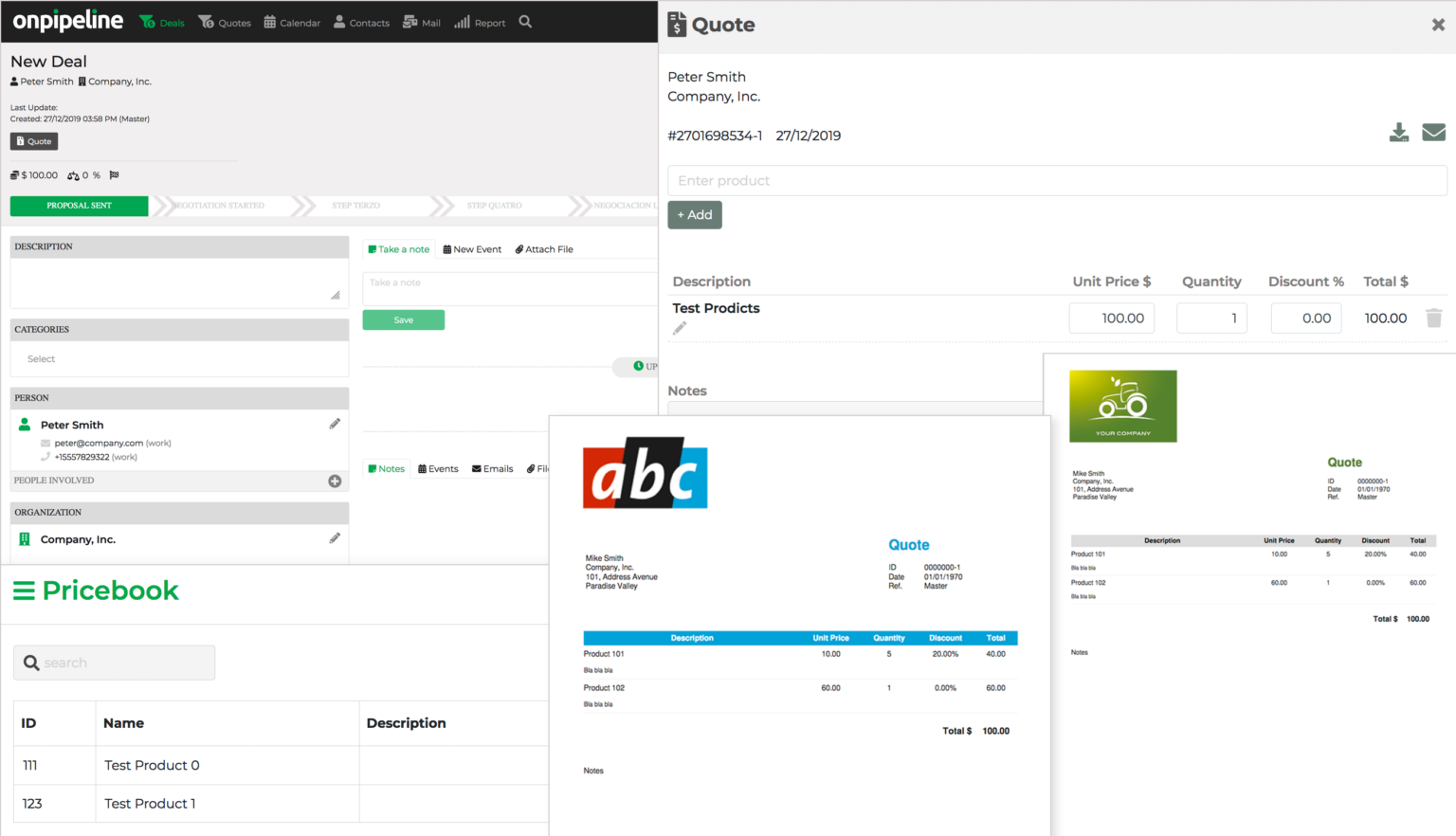
Managing a sales team is not only about tracking opportunities. Representatives also need practical tools to turn customer interest into commercial agreements.
Onpipeline connects deal management with quotation capabilities, allowing sales teams to prepare offers without moving between disconnected applications.
Representatives can create quotations, organize commercial information, and keep related documents associated with the relevant customer or opportunity.
Depending on the configured workflow, teams can also manage approvals and collect electronic signatures to confirm agreements.
The CRM grows with your team
A dedicated CRM helps establish consistent processes while allowing the organization to expand. With Onpipeline, businesses can configure sales pipelines, organize teams, assign responsibilities, and manage customer information within the same platform.
This makes it possible to introduce more structure without requiring sales representatives to work across numerous disconnected systems.
Whether your business has a small group of representatives or multiple teams with different responsibilities, the objective remains the same: provide each person with the information and tools needed to manage opportunities.
A CRM for sales teams is software that helps representatives and managers organize customer information, manage opportunities, track activities, and collaborate throughout the sales process.
CRM software provides visibility into deals, team activities, sales performance, and upcoming commitments. This allows managers to identify bottlenecks, coordinate workloads, and support individual representatives.
Yes. Onpipeline allows businesses to create multiple teams and organize access to sales pipelines and customer information according to their operational requirements.
Yes. By linking activities and schedules to customers and opportunities, a CRM helps representatives keep track of their next actions. Workflow automation can also support recurring follow-up processes.
Onpipeline can be used by small and growing sales teams that want to manage contacts, opportunities, activities, quotations, and collaboration within one CRM platform.