
Monday CRM Alternative
What happens beyond the Sales Pipeline?
Compare how monday CRM and Onpipeline handle quotes, approvals, esignatures, recurring revenue, invoicing, customer portals and inventory after a deal moves through the sales pipeline. Both platforms extend well beyond basic pipeline management, but they take different approaches.
monday CRM uses its flexible board and automation architecture to let teams build and adapt post-sales workflows, while Onpipeline provides more of these processes as dedicated CRM functionality.

Quotes: flexible documents vs a structured quote workflow
monday CRM has a board-based architecture, and teams can add an approval status to a Quotes board. File versioning is available through monday’s Files functionality.
Onpipeline treats approval, rejection and revision as part of the quote lifecycle itself, rather than as a workflow the customer configures around a document board. The difference is between configuring a quote process around boards and having that process already built into the CRM with Onpipeline.
E-signatures: monday needs external apps for collection
monday CRM can generate quotes and include signature fields, but a complete e-signature workflow relies on external applications such as DocuSign or PandaDoc.
Onpipeline includes e-signatures directly within its Quote Management workflow.
A quote can move through internal approval → revision → customer e-signature, with the signed document remaining connected to the commercial process.
Inventory: board-based inventory tracking vs stock-aware quoting
monday.com can certainly be used to manage inventory. Its own documentation provides an inventory workflow built using boards, columns and dashboards to track quantities and stock information.
But a product catalog or configurable inventory board is not the same thing as stock control integrated into the sales transaction.
Onpipeline Advanced includes inventory functionality connected to its product and quote management workflow. Salespeople can check stock availability while preparing a quote, while inventory adjustments and availability remain connected to the products being sold.
Customer Portal: monday Service vs a CRM document portal
monday.com does offer a Customer Portal, but it belongs to monday Service rather than monday CRM. The monday service Customer Portal is primarily designed around service requests.
This is different from Onpipeline’s Customer Portal.
Onpipeline’s portal is connected directly to CRM relationships and commercial processes. Customers can access shared files and invoices and respond to specific document requests. Requested documents can have deadlines and reviewers; submissions can be accepted or rejected, rejection reasons can be communicated to the customer, and corrected documents can be uploaded again.
Pricing note: monday CRM includes Quotes & Invoices, but document generation is subject to monthly limits and collecting e-signatures requires a separate paid application such as DocuSign or PandaDoc. Onpipeline Standard is $39/user/month, billed monthly, and includes Quote Management and e-signatures with no document generation limits.
Compare the top features
| Features | Onpipeline | monday CRM |
|---|---|---|
| CRM & Sales Management | ||
| Unlimited sales pipelines | All plans | From Basic |
| Unlimited contacts & deals | All plans | Tier limits; unlimited on Ultimate |
| Unlimited sales teams | All plans | Team collaboration supported |
| Dedicated pre-CRM lead intake | Leads IN · Standard+ | Lead capture and qualification in CRM |
| Quotes & Revenue | ||
| Built-in quotes & invoices | Quotes Standard+; invoicing all plans | All plans; monthly document limits |
| Integrated quote e-signatures | Standard+ | Third-party signing integration |
| Advanced quote approvals & revisions | Standard+ | Custom workflows / configuration |
| Recurring subscriptions from deals | Standard+ | Requires configuration / integrations |
| Sales Operations | ||
| Native inventory & stock control | Advanced+ | Products tracking; no equivalent stock module |
| Customer document collection portal | Advanced+ | No equivalent native document-request portal |
| Document requests, review & approval | Advanced+ | Custom workflows / additional tools |
| Online appointment booking | All plans | Calendar integrations / scheduling |
| Pricing & Accessibility | ||
| Entry-level paid CRM | $25 per user / month · Pipeline | $18 per seat / month · Basic |
| CRM plan with quotes | $39 per user / month · Standard | $18 per seat / month · Basic |
| Quotes / invoices allowance | 200/yr 200 invoices / year · Pipeline | 20/mo 20 documents / month · Basic |
| Permanent free CRM plan | 14-day free trial | 14-day free trial; Free is for Work Management |
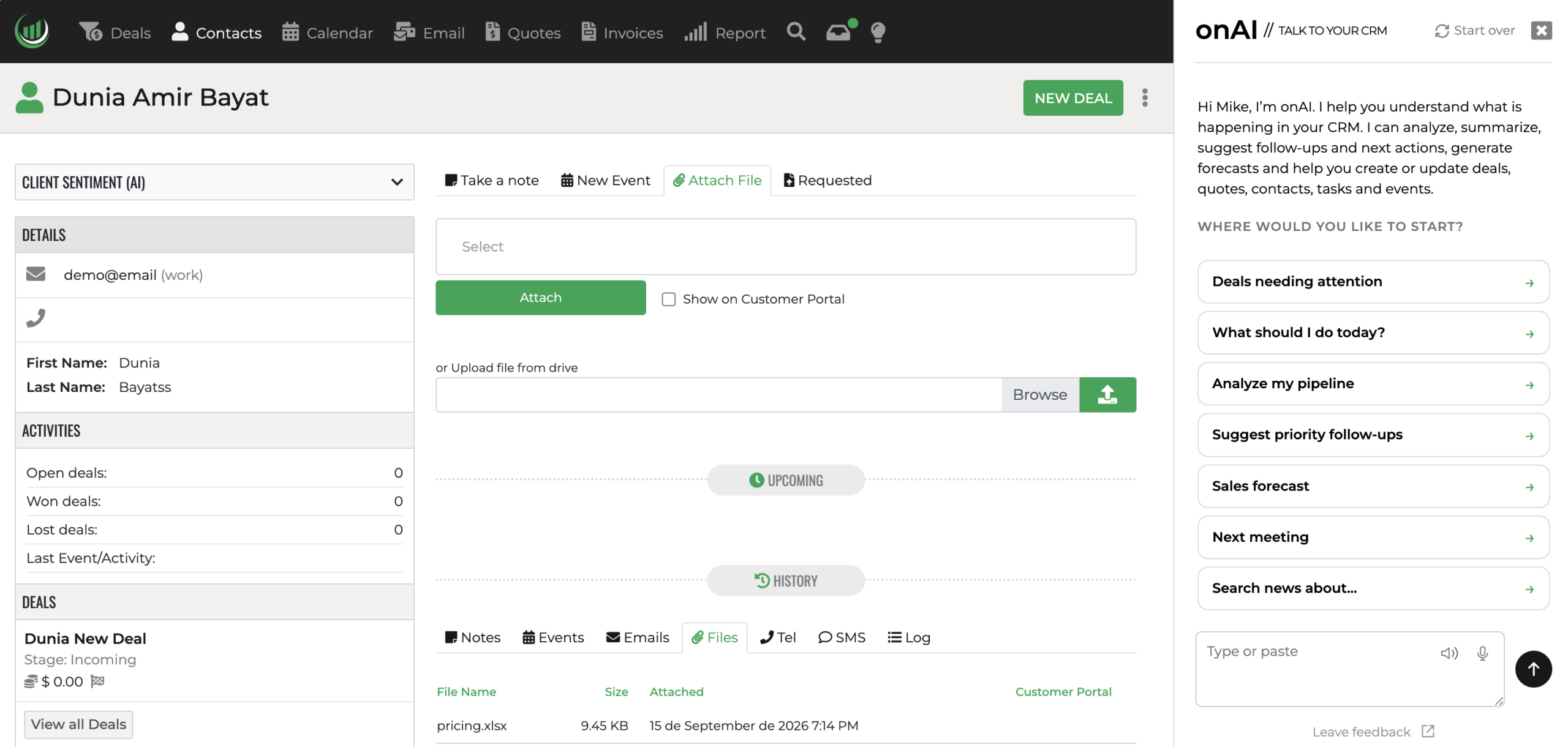
CRM with AI
Both platforms combine AI with customizable CRM workflows, but they are built around different priorities. monday CRM extends a flexible work-management platform, while Onpipeline focuses specifically on executing connected sales processes across customer records, deals, follow-ups, quotes and signatures.
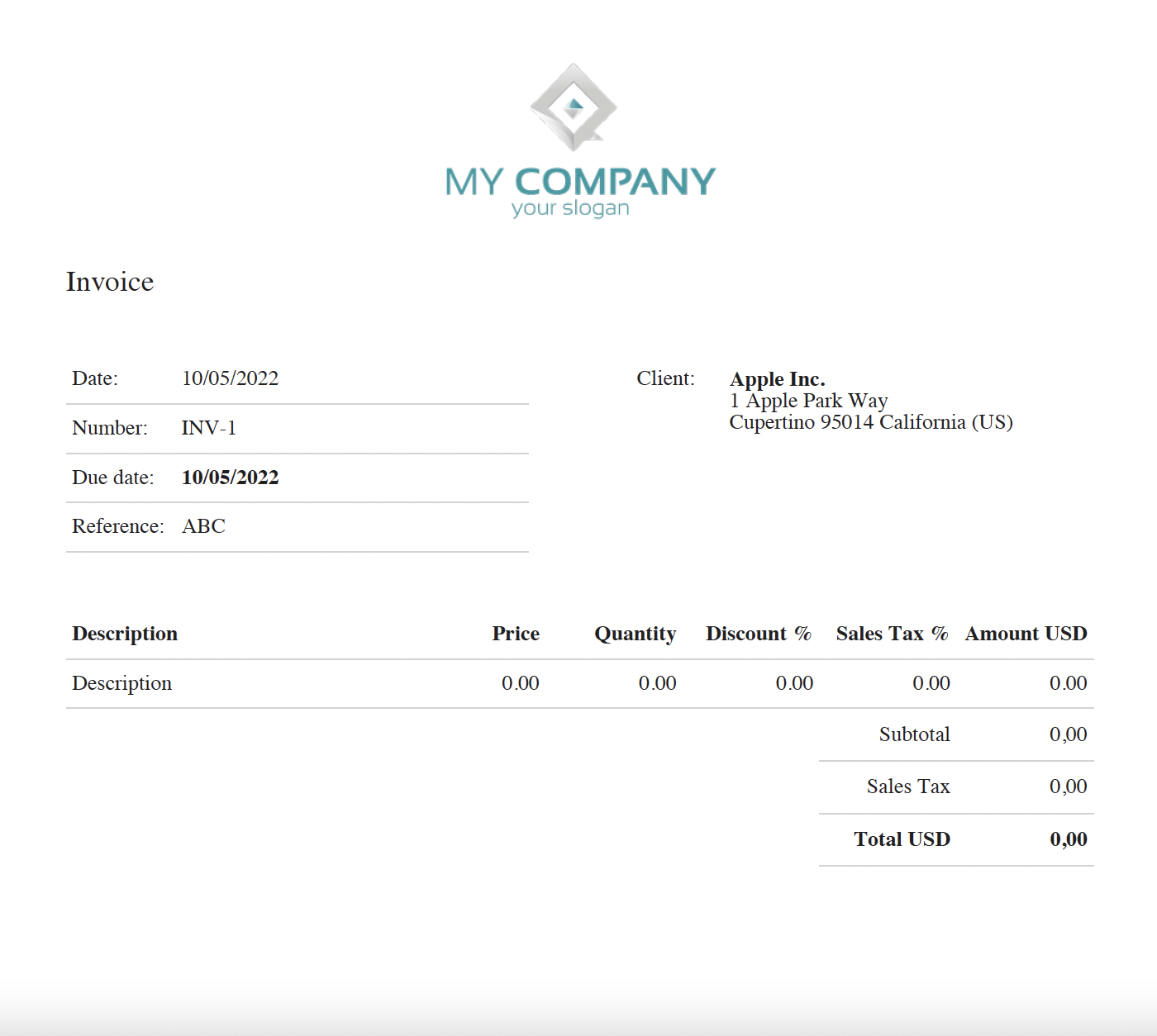
CRM with Invoicing
monday CRM now includes invoice generation. Generated as PDFs and tracked centrally on the Invoices board. Onpipeline also includes invoicing natively, but approaches it as a continuation of the commercial workflow.
The distinction is therefore not whether monday CRM can reach invoicing.
The question is how much of the quote-to-recurring-revenue lifecycle is represented by dedicated CRM functionality rather than assembled through boards and automations.
Businesses looking for a CRM-focused platform often consider Onpipeline as an alternative to Monday.com for managing leads, opportunities, and customer relationships.
Monday.com offers CRM capabilities, but it is primarily known as a work management and project collaboration platform.
Many sales teams prefer a dedicated CRM designed around pipelines, opportunities, quotes, and customer management rather than adapting a general work management platform.
Yes. Some businesses use Monday.com for project management while managing sales activities in Onpipeline.